
How to create a Meta API token, client ID and client secret.
A quick tutorial on how to create a Meta API token.

Follow the steps below to create a Meta API token.
If you need help, you can:
- Send an email to hi@bigged.com and we’ll help you.
Steps
We've made this guide extremely detailed, so there are 15 steps, but it should only take 5 minutes to complete.
- Go to: https://developers.facebook.com/apps/. You may need to log into your Facebook account.
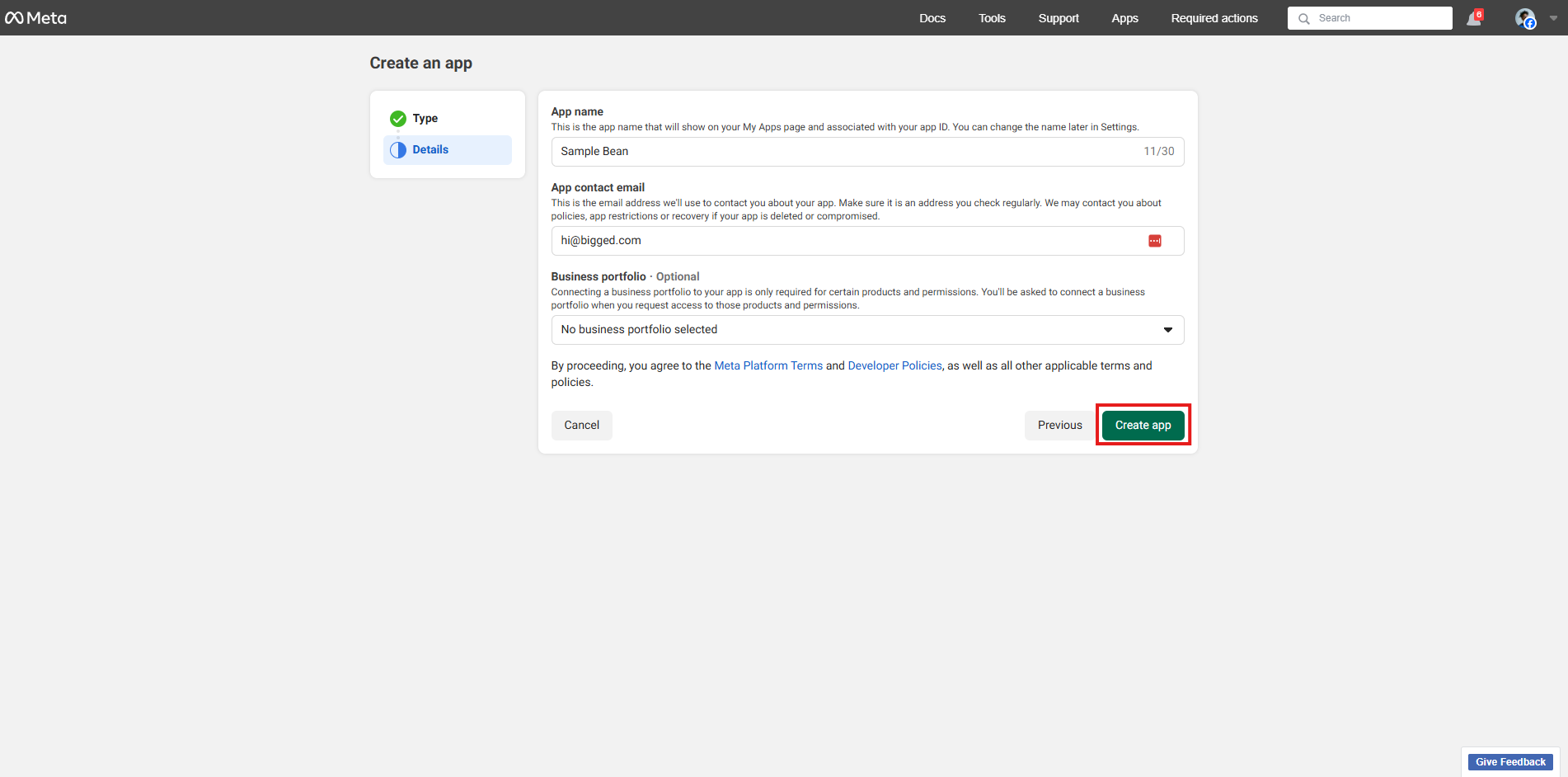
- Click "Create App".
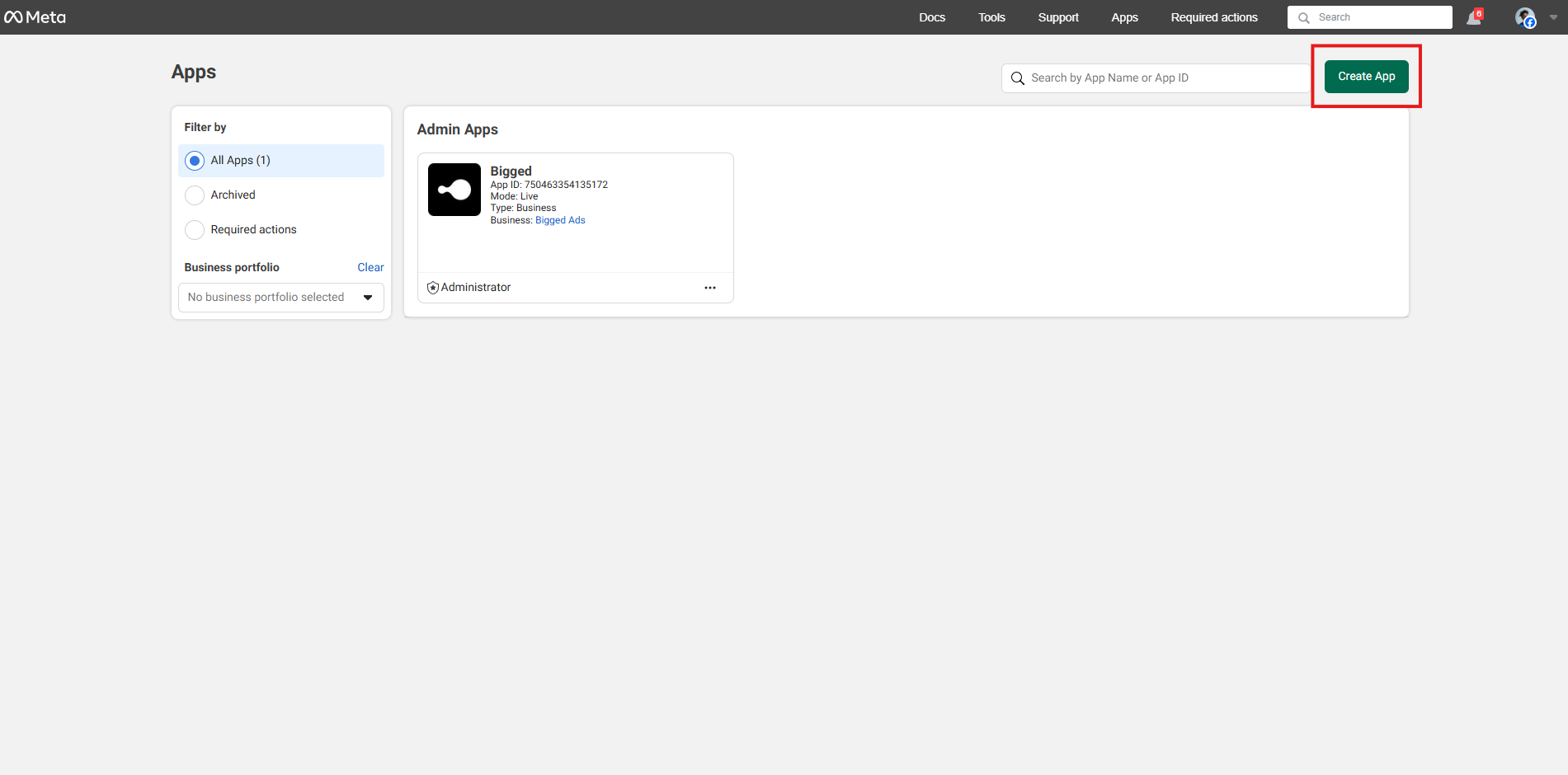
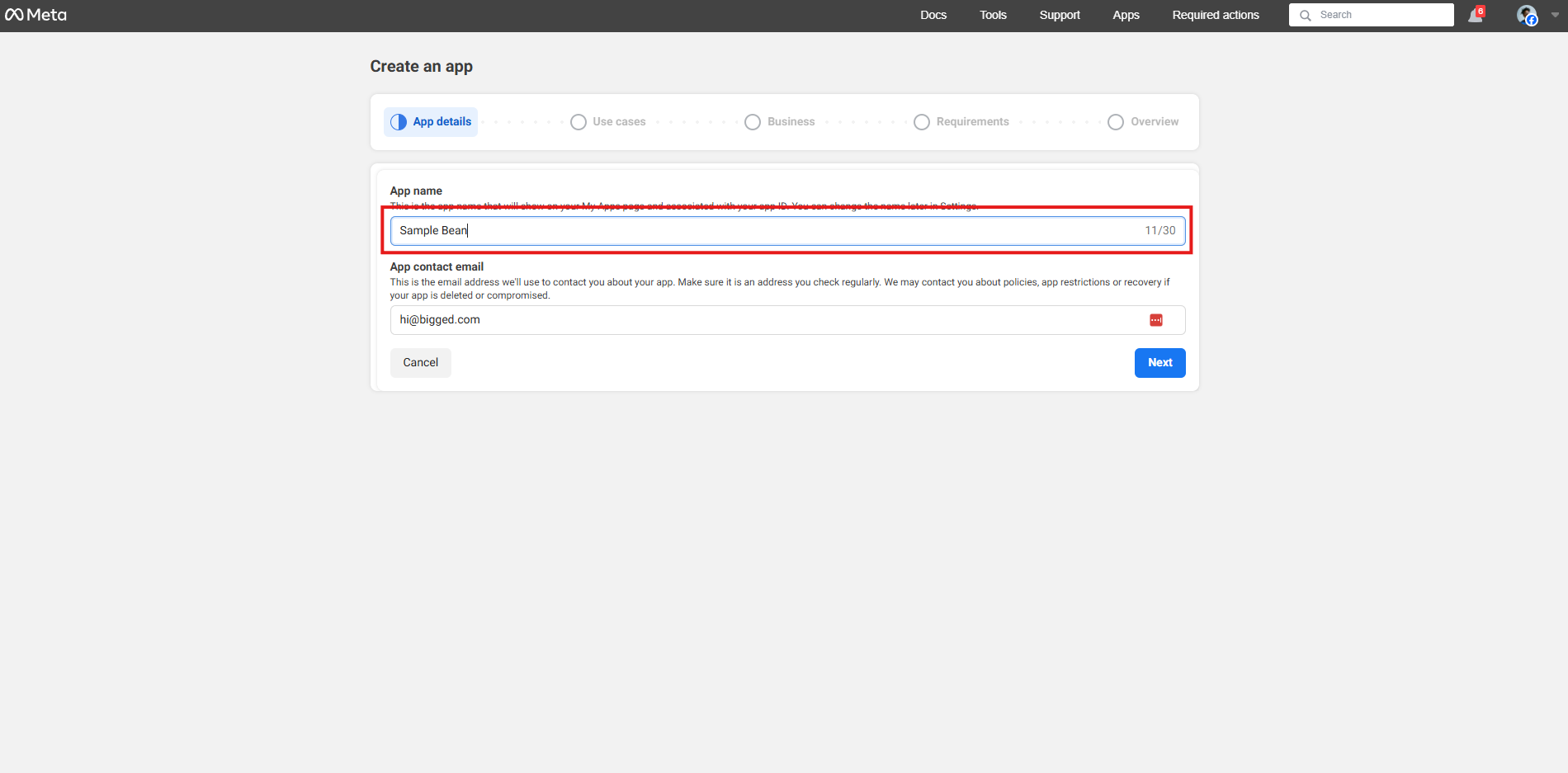
- Name the app. We recommend naming it after your company. If you work at an agency, use the agency’s name.
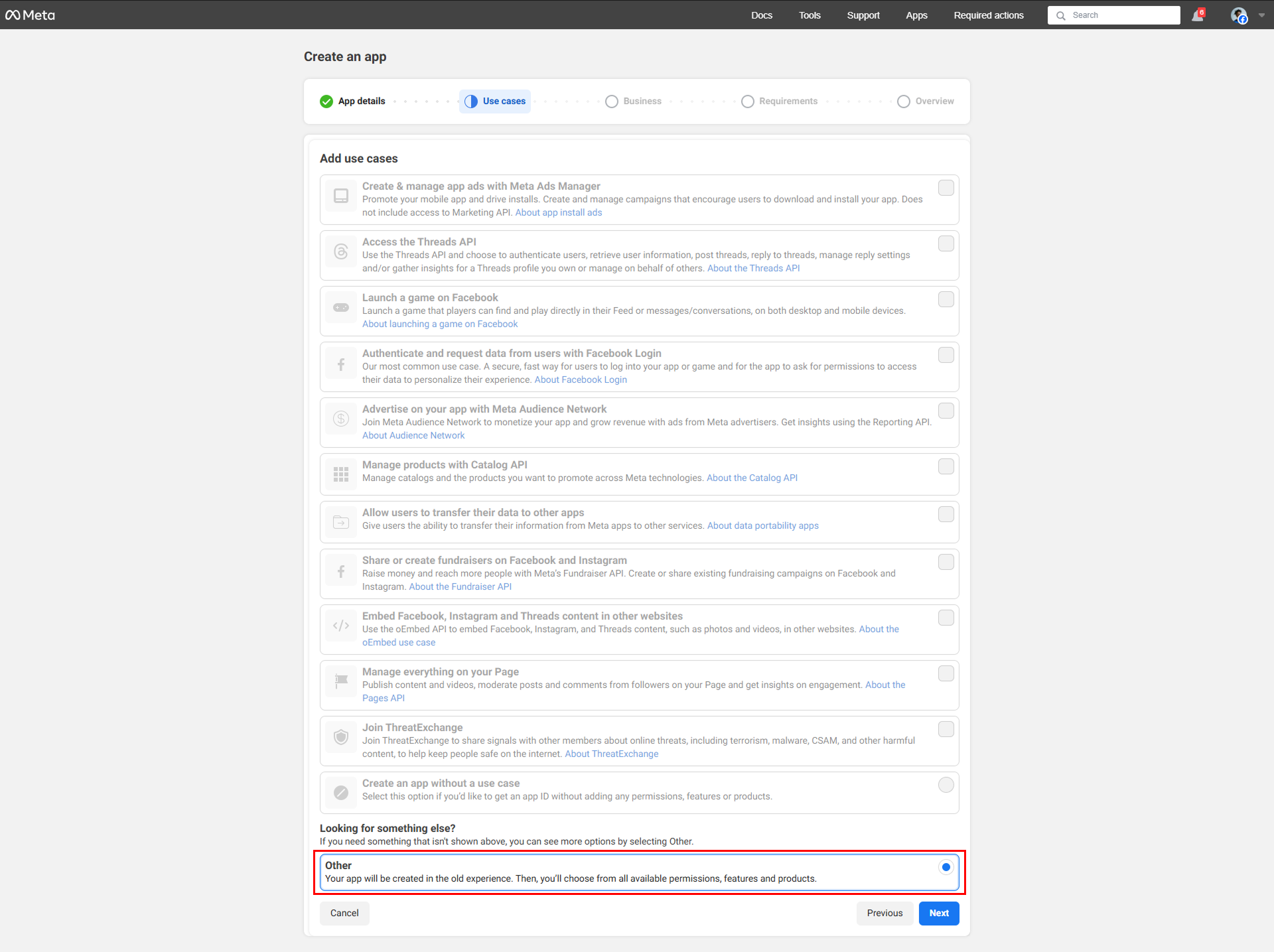
- Scroll to the very bottom and select "Other"
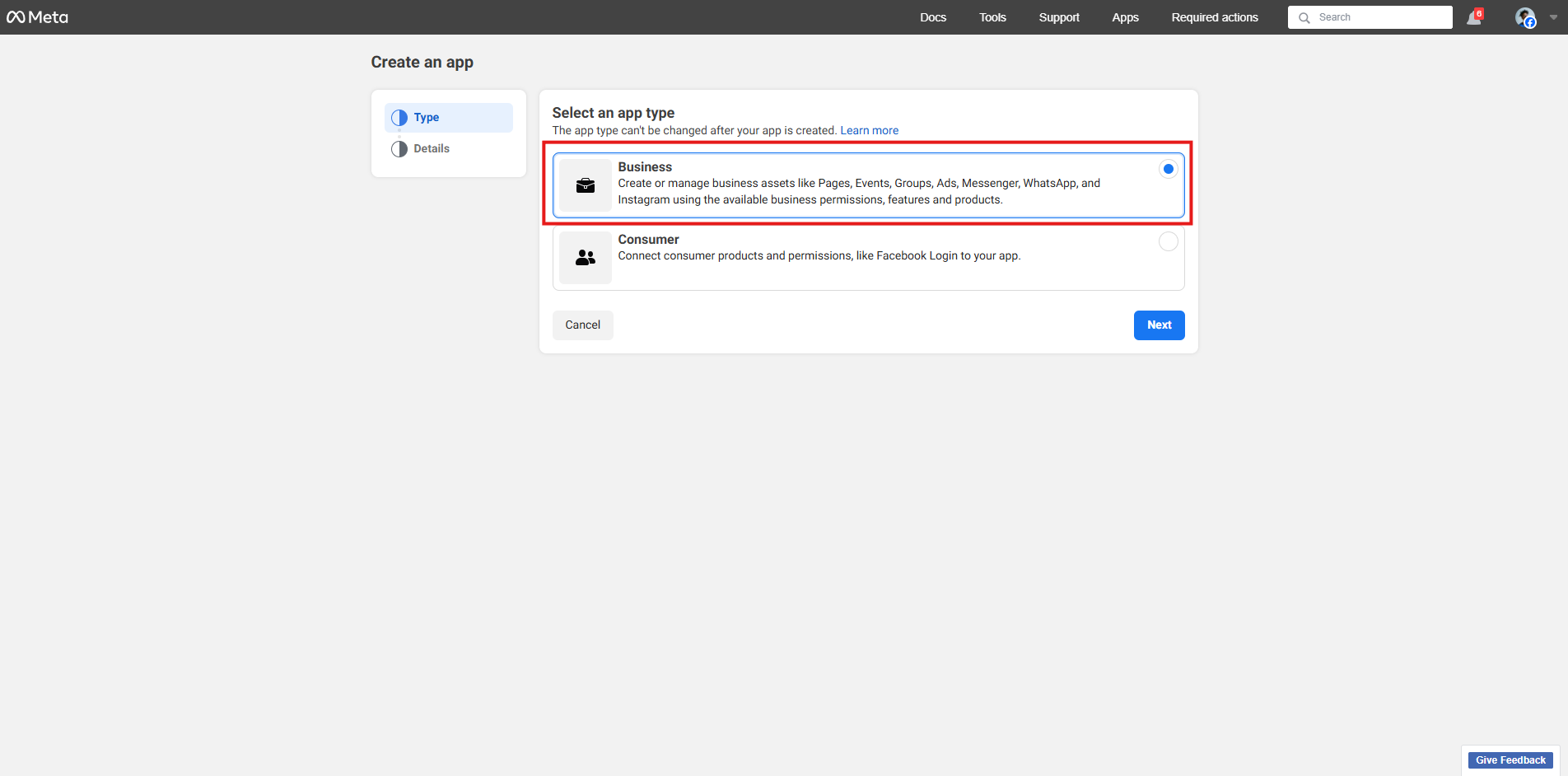
- Select "Business"
- Click "Create app"
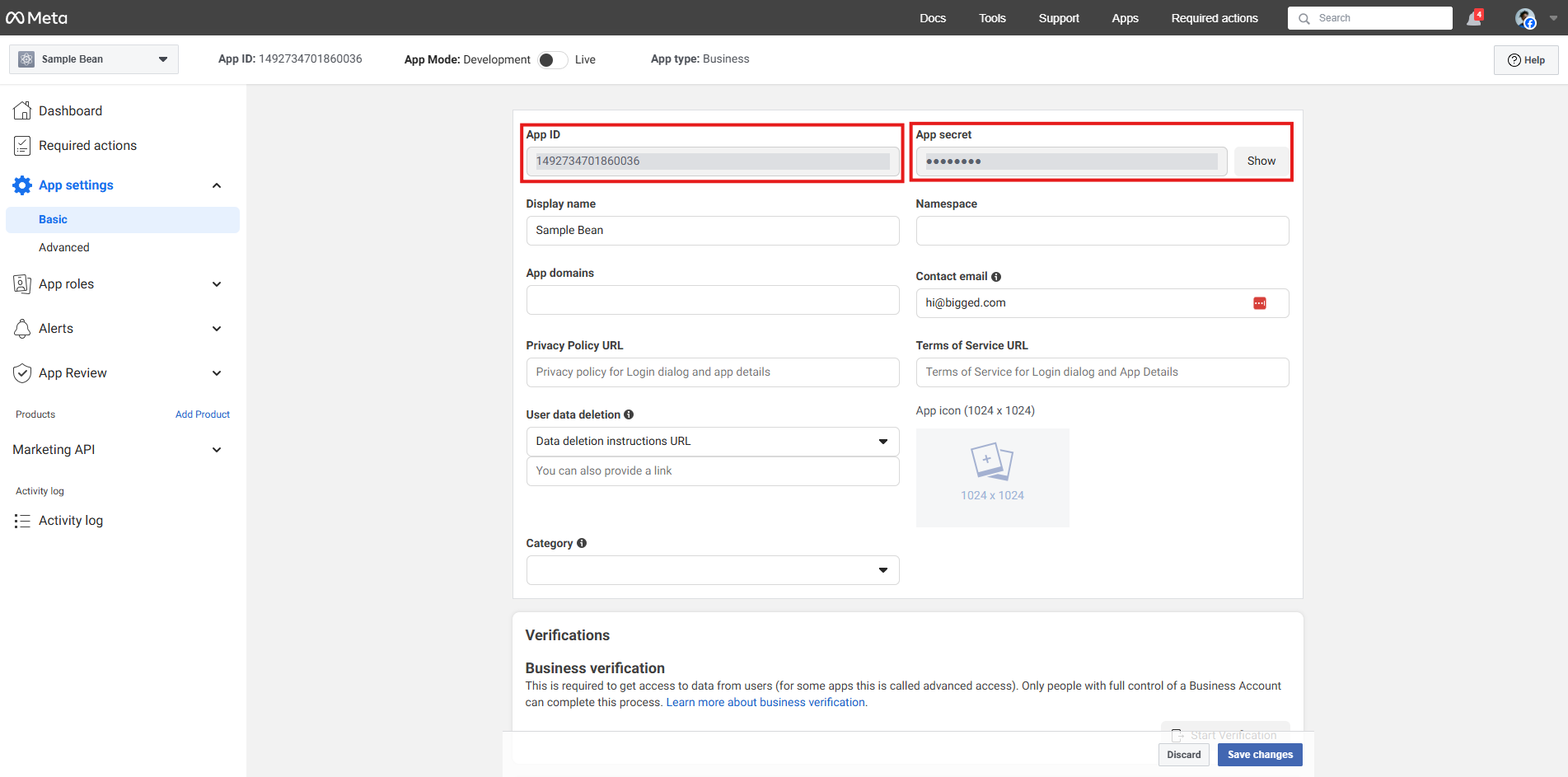
- Go to "App settings > Basic". There you will find your App ID and App secret. Note, you'll have to click "Show" next to "App secret" in order to see the App secret.
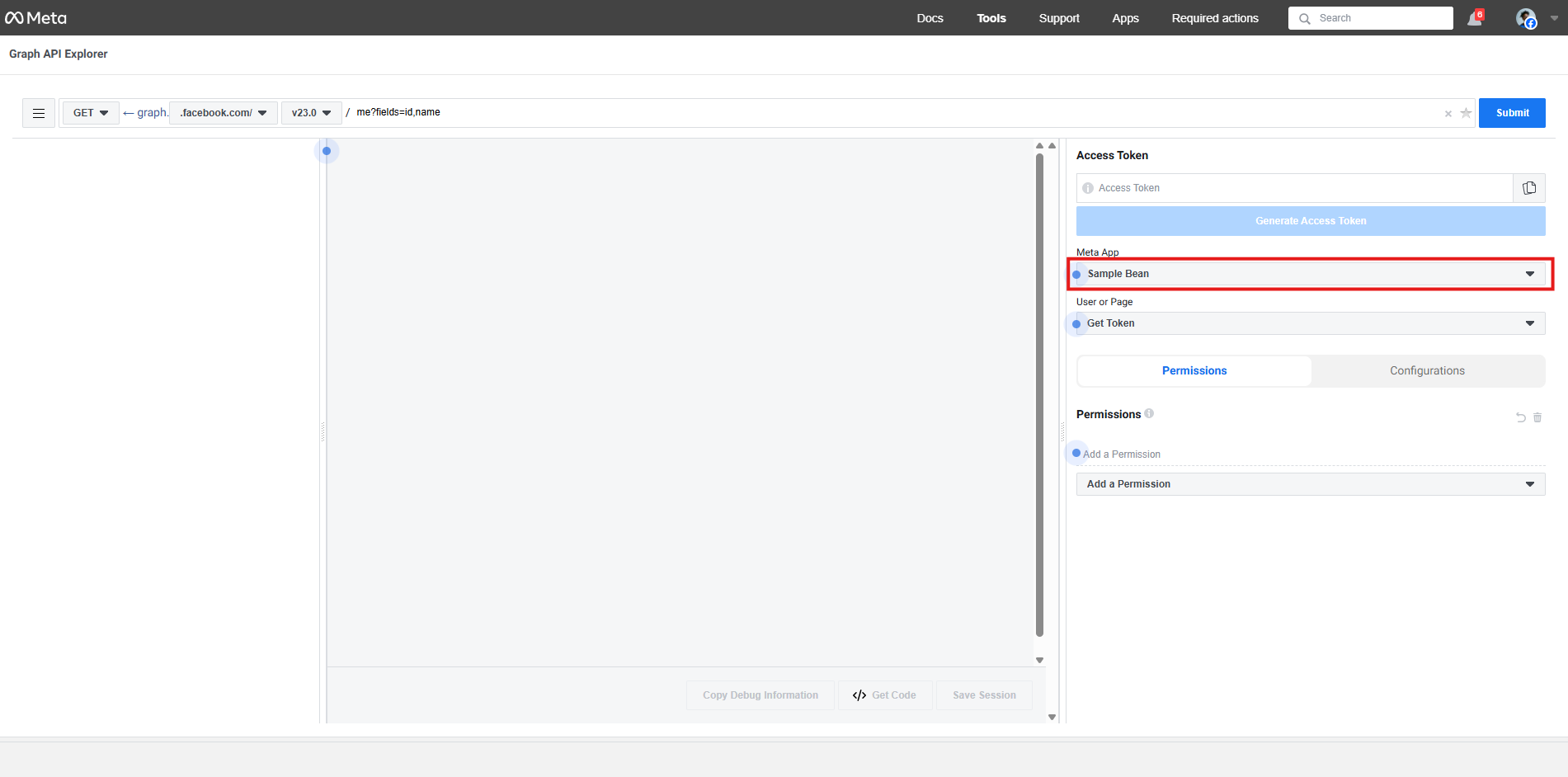
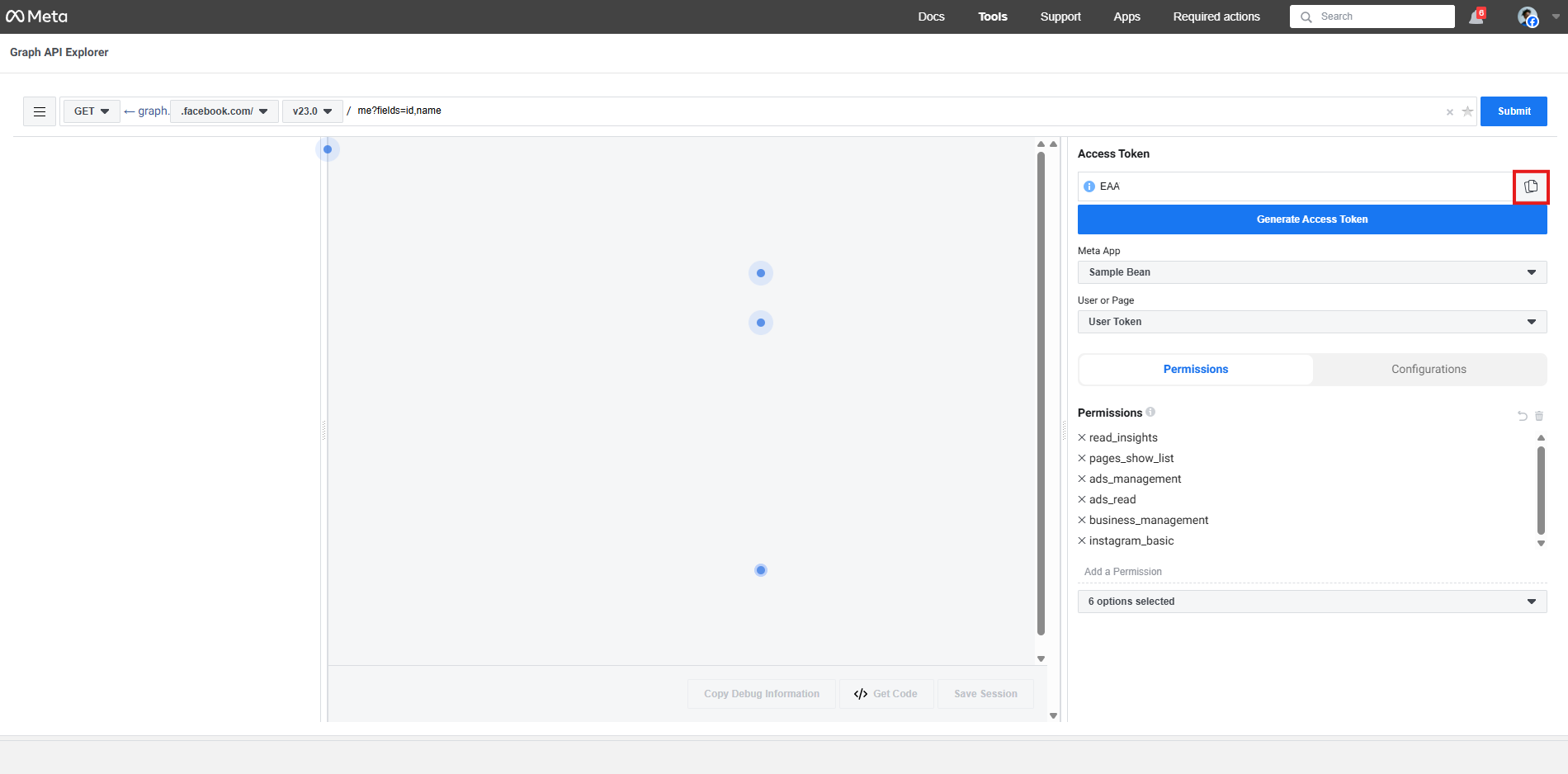
- Go to: https://developers.facebook.com/tools/explorer/
- Under "Meta App", select the app that you just created.
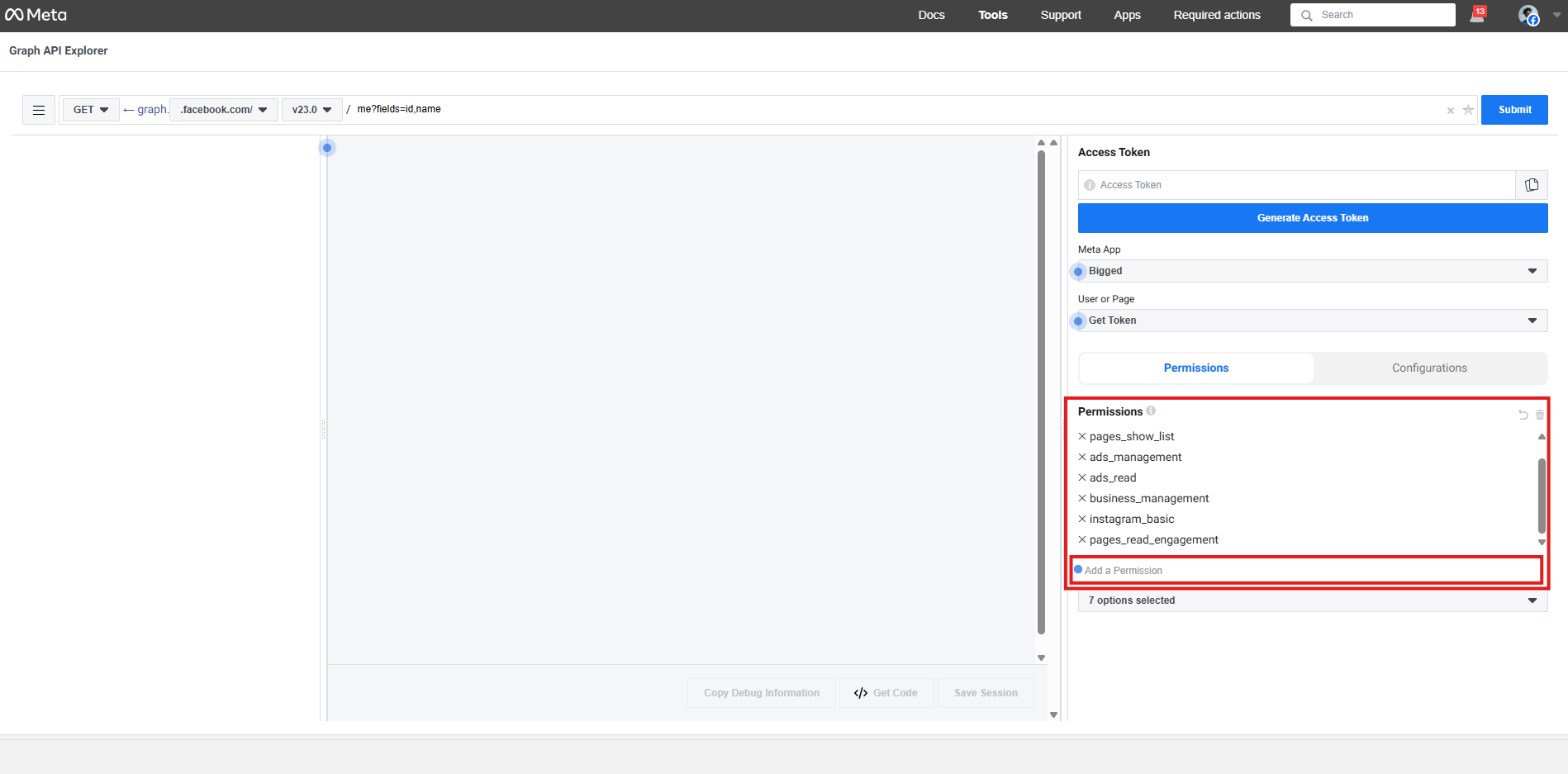
- Use the "Add a Permission" input field to add the following permissions:
- read_insights
- pages_show_list
- ads_management
- ads_read
- business_management
- instagram_basic
- instagram_manage_comments
- pages_read_engagement
- pages_read_user_content
- pages_manage_engagement
- instagram_branded_content_ads_brand
- Click "Generate Access Token"
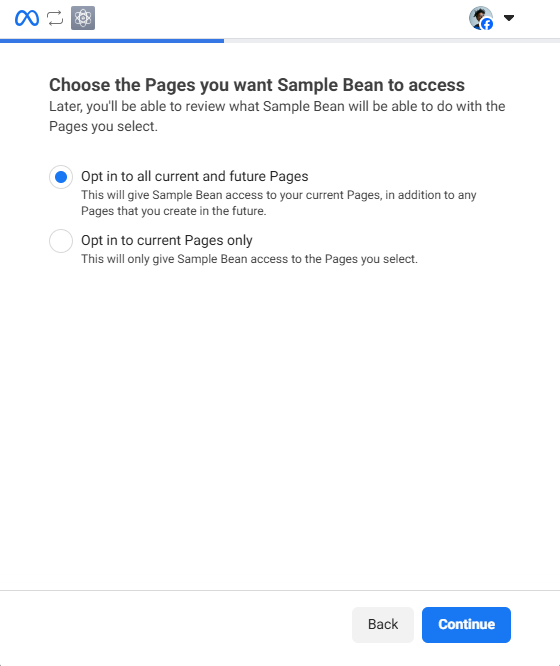
- A popup will appear. Select "Opt in to all current and future Pages" and click "Continue"
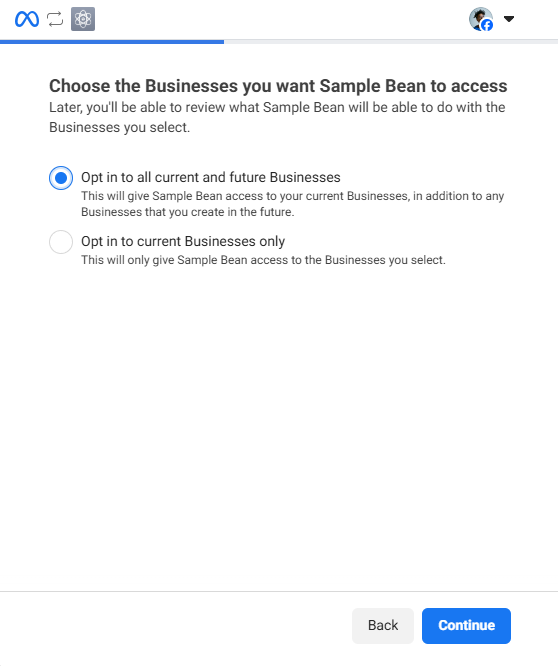
- Then, select "Opt in to all current and future Businesses" and click "Continue"
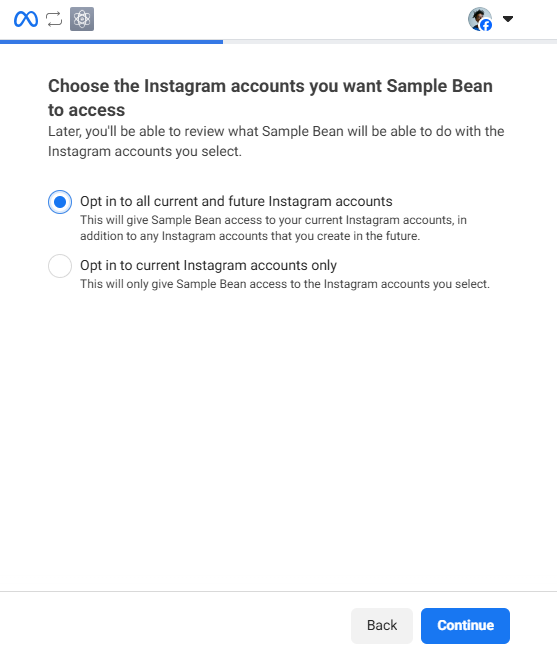
- Then, select "Opt in to all current and future Instagram accounts" and click "Continue"
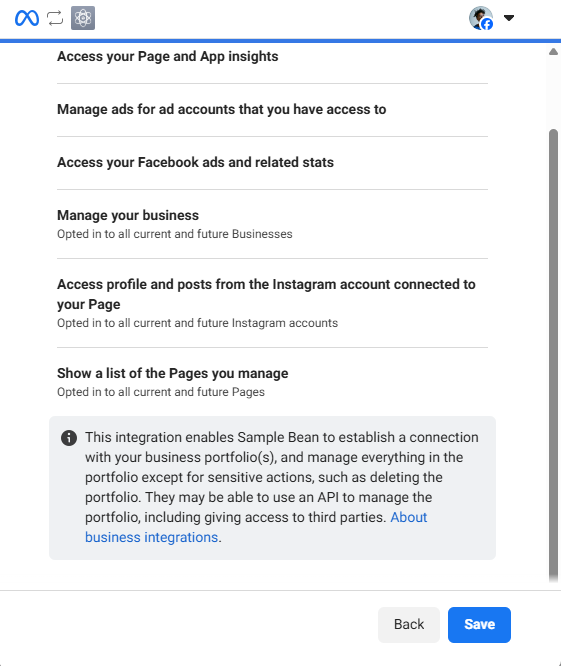
- Finally, click "Save"
- Now, copy the token and paste it into Bigged. The token should look like "EAA...". Don't send this token to anyone or they could access your Facebook accounts.
That's it! You're all done.